The E-reader that opens just like a book
Some things are meant to be read across a 2-page spread
Keep references in view to help you follow what you read
Press and awards
Folds to the size of one tablet
10,000+ reserved early access

Inkleaf: The two screen E-ink tablet that opens like a book.

“essentially turning an E Ink tablet into a digital book with two full-size pages”
Nick BildHackster.io
  • Be first in line for launch on Nov 24. Public orders open in Spring 2027.
  • Build updates from the founder
  • Get notified at launch with perks

On Kickstarter Nov 24, 11 AM ET

As seen in

TechRadar Yahoo Tech How-To Geek Yanko Design Hackster.io Good e-Reader Trend Hunter

Why an e-reader needs 2 pages.

Some things are just supposed to be read across two pages: sheet music, manga, and comics.

Or, you’ll need to reference information to follow what you’re reading: definitions, a map, or the footnotes.

Instead of a cramped split screen, or breaking your flow by breaking back and forth, Inkleaf lets you keep both in view and reference as you go.

Love the convenience of an e-reader, but miss the feel of a physical book? This is for you too.

Inkleaf is a foldable, 2 page e-reader. It lets you read across a 2 page spread the way you’re used to, while keeping Your library stays on one device, and when you’re done it folds shut like a book.

Your dedicated E-Reader for:

Sheet music across both InkLeaf screens on a music stand

Sheet Music.

  • Two big sheets instead of one
  • Less page turns
  • Connect a bluetooth page turn pedal
Manga spread across both InkLeaf screens

Manga & Comics.

  • Read across 2 pages
  • Appreciate the art how it was created
Reading a novel on InkLeaf outdoors

Novels.

  • Traditional Hardcover feel
  • Read across 2 pages
  • Folds to the size of one e-reader

On Kickstarter Nov 24, 11 AM ET

  • Be first in line for launch on Nov 24. Public orders open in Spring 2027.
  • Build updates from the founder
  • Get notified at launch with perks

Use a reference while you read, without split screen or switching back and forth.

You’ll have more space to read, without interrupting your flow every time you want to check something.

Reading with a translation on the second screen in a kitchen

Read in a new language.

  • Keep a translation beside the reading.
  • Get help right when you need it
  • Read through new language faster
  • Extensive vocabulary not needed
A fantasy book beside its map on InkLeaf

Fantasy books & Maps.

  • Keep a map beside the book.
  • Follow the story better
  • No flipping back to the map
  • Keep your flow
InkLeaf open on a library desk with a book and its endnotes

Endnotes, definitions, & sources.

  • Reference cited sources
  • Look at definitions
  • Keep a list of characters

Want to remember what you read?

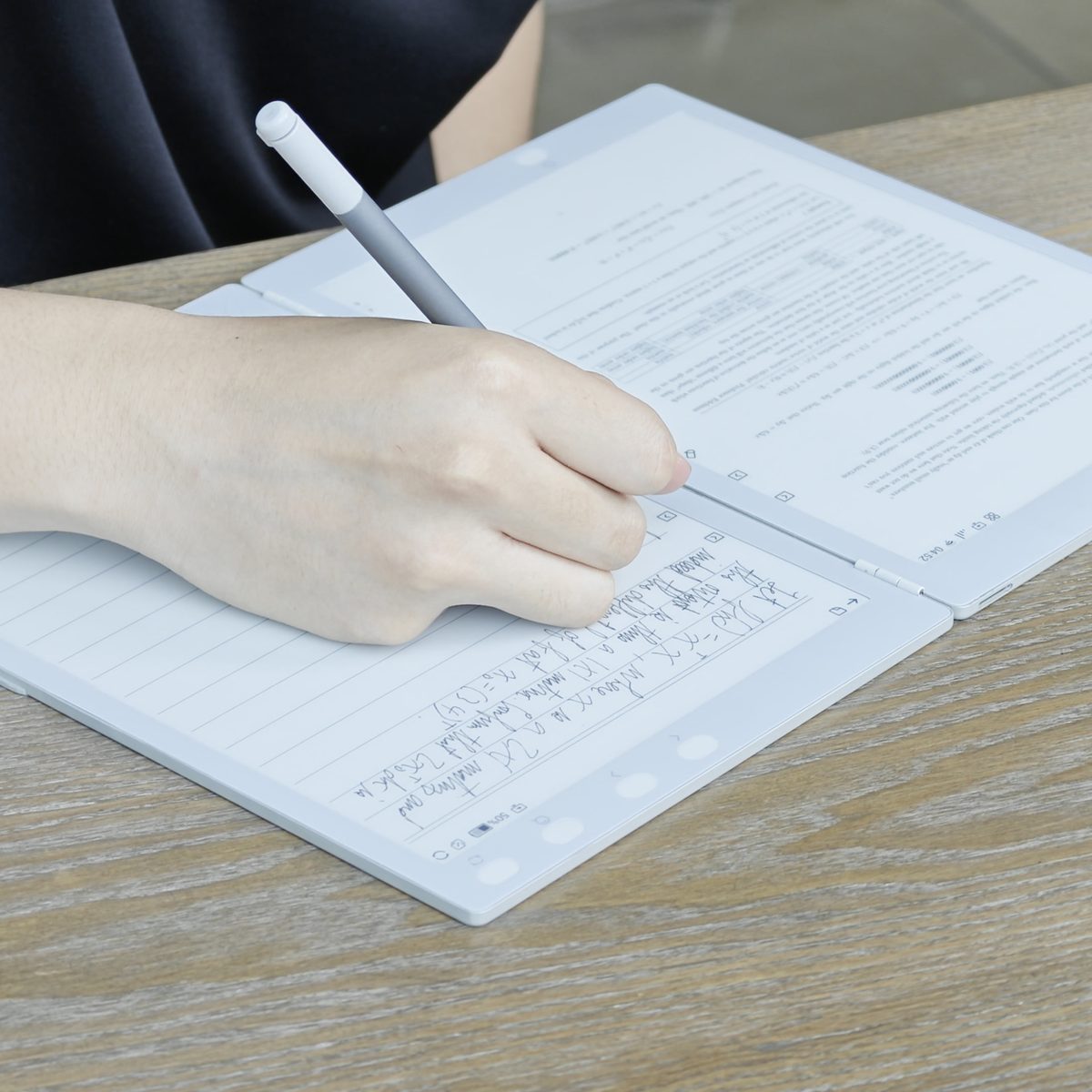
Inkleaf lets you read while writing without split screen. Say goodbye to cramped margins, this is the first e-reader that has enough space for detailed notes.

Handwrite notes in your own words. Write your favorite quotes, thoughts, or a to do list as you’re reading. Notetaking while reading doesn’t have to be a chore.

Writing notes on InkLeaf at a wood table
"genuinely new in a category that has spent three years making the same slab thinner"
Templacity

On Kickstarter Nov 24, 11 AM ET

  • Be first in line for launch on Nov 24. Public orders open in Spring 2027.
  • Build updates from the founder
  • Get notified at launch with perks
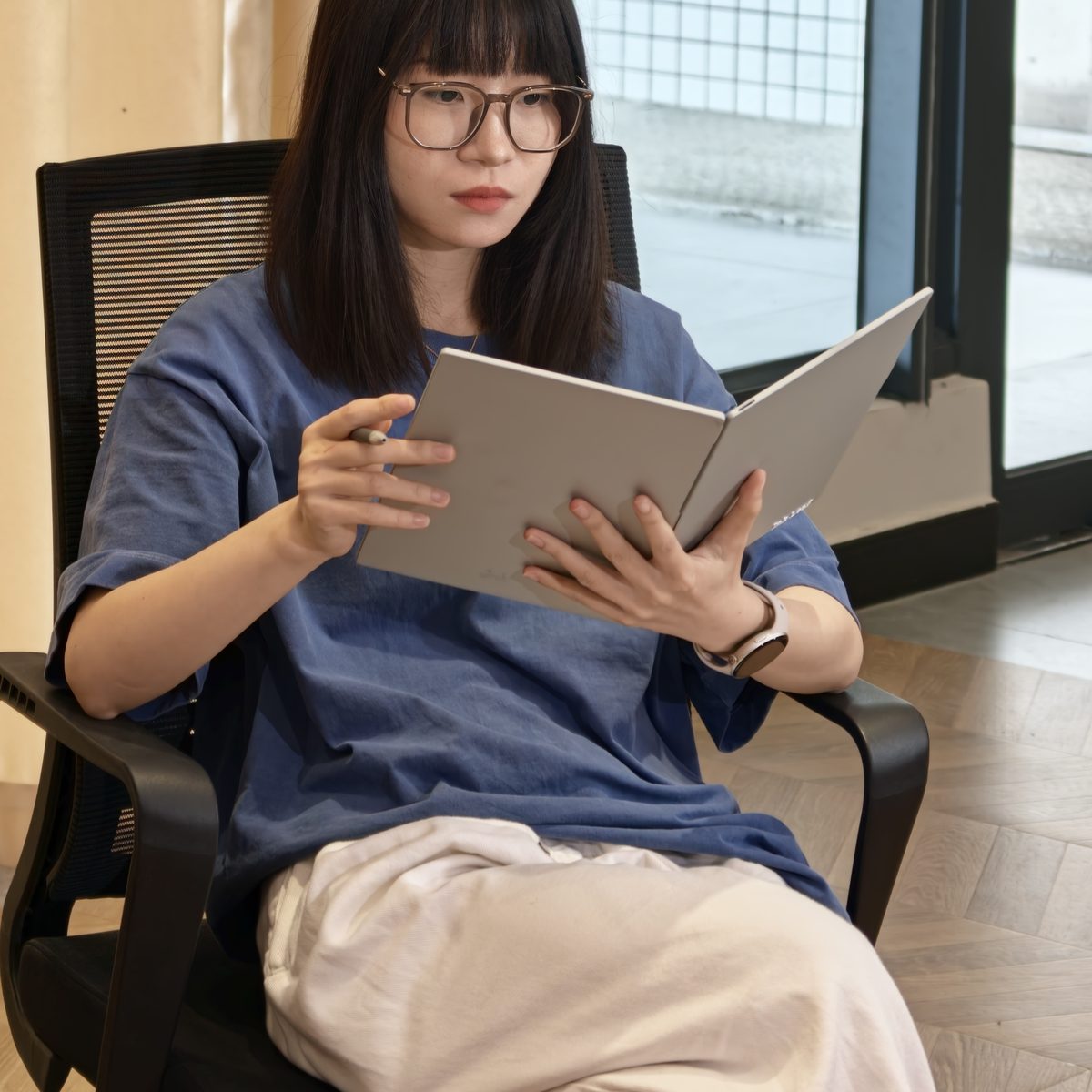
Reading InkLeaf in an office chair

Preserving the natural notebook feel.

Screens that feel like paper, not glass:

  • Two 10.3″ pages, side by side
  • It’s like reading on paper with E-ink: no glare, easy on the eyes
  • A matte, textured screen finish that makes writing feel like paper, not glass.

A stylus that writes like a pencil:

  • Press harder to write darker.
  • Flip it around to erase.
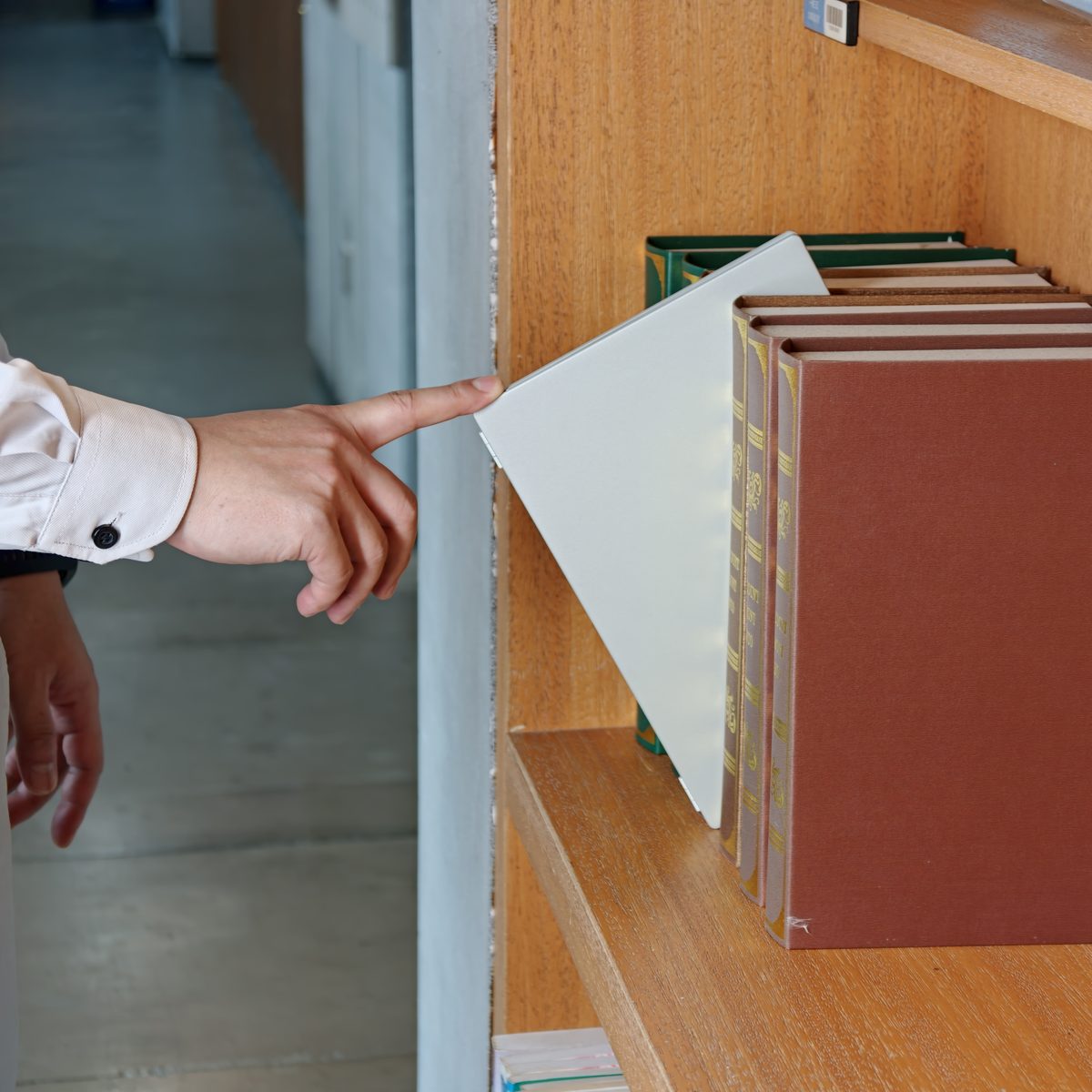
Pulling InkLeaf from a bookshelf

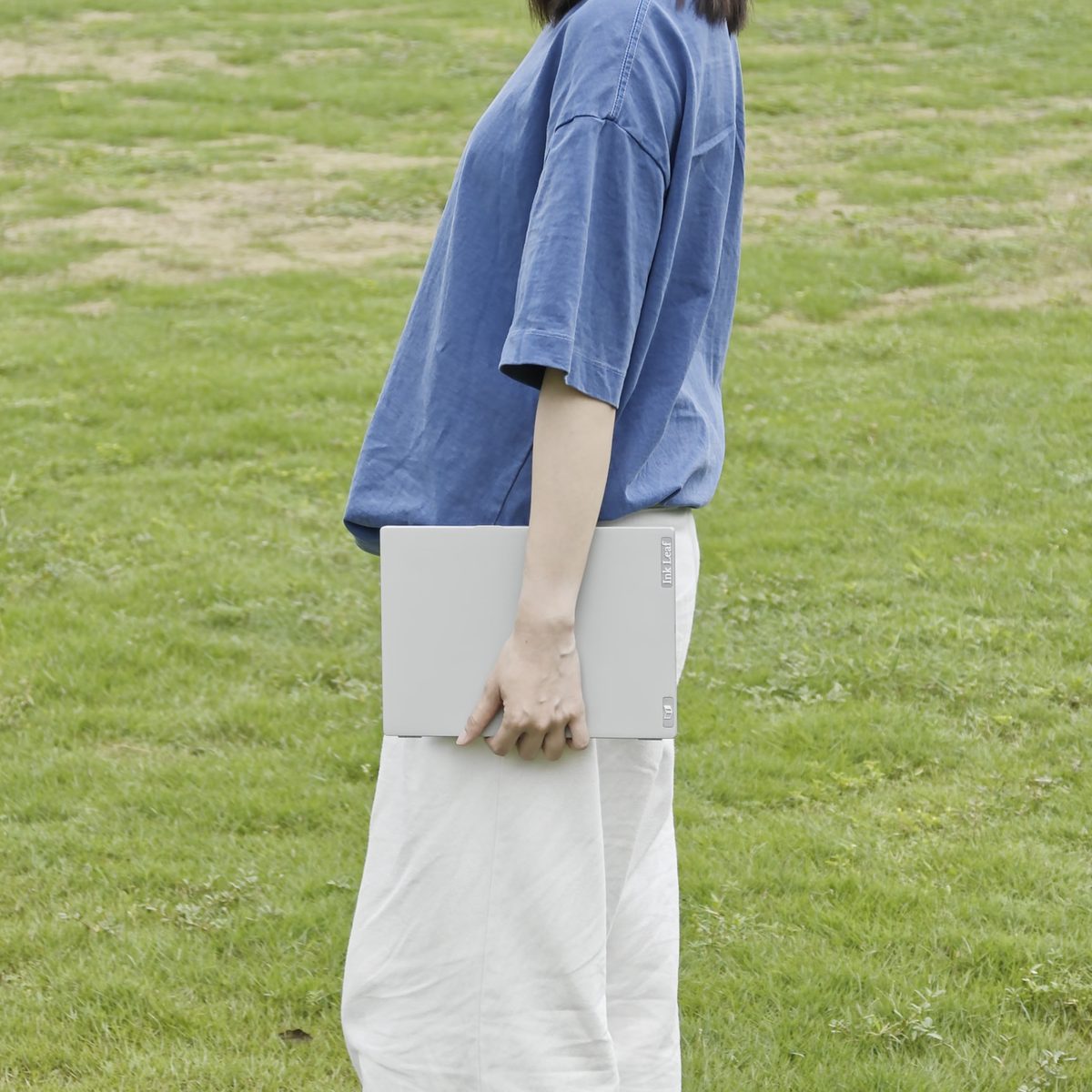
Folds to half its size. Thinner than a paperback, barely heavier.

  • Folds shut like a book, to half its true size.
  • 480 g, lighter than a 13″ iPad Air
  • 8.4 mm closed · 4.2 mm open
  • Weeks per charge
Carrying InkLeaf folded in one hand

Your notes, books, and tablet in one place.

You don't need to carry two devices, an extra notebook, or a stack of paper.

Handwritten notes, organized digitally.

  • Handwriting to text conversion
  • Handwritten notes ready to search and export anywhere

A space for all documents and notes.

  • 64 GB storage. PDF, EPUB, MOBI, TXT and HTML

Compatible with the apps you use:

  • Full Android: your apps and web access

Online anywhere: 4G SIM

Record lectures and meetings: Dual mic

"Hardware is an impressive affair all around."
Namerah Saud FatmiHow-To Geek
"remarkably portable."
Michael KozlowskiGood e-Reader
See full technical specs
Display
2 × 10.3″ E Ink Carta
Hinge
180° book-flat
Thickness
8.4 mm closed · 4.2 mm open
Weight
480 g
Stylus
4096 pressure levels · eraser end coming in a software update
Software
Full Android
Processor
Quad-core Cortex-A35 · 4 GB RAM
Storage
64 GB
Connectivity
Wi-Fi 2.4/5 GHz · 4G SIM · USB-C
Audio
Speaker · dual mic
Battery
Weeks per charge
Formats
PDF, EPUB, MOBI, TXT, HTML

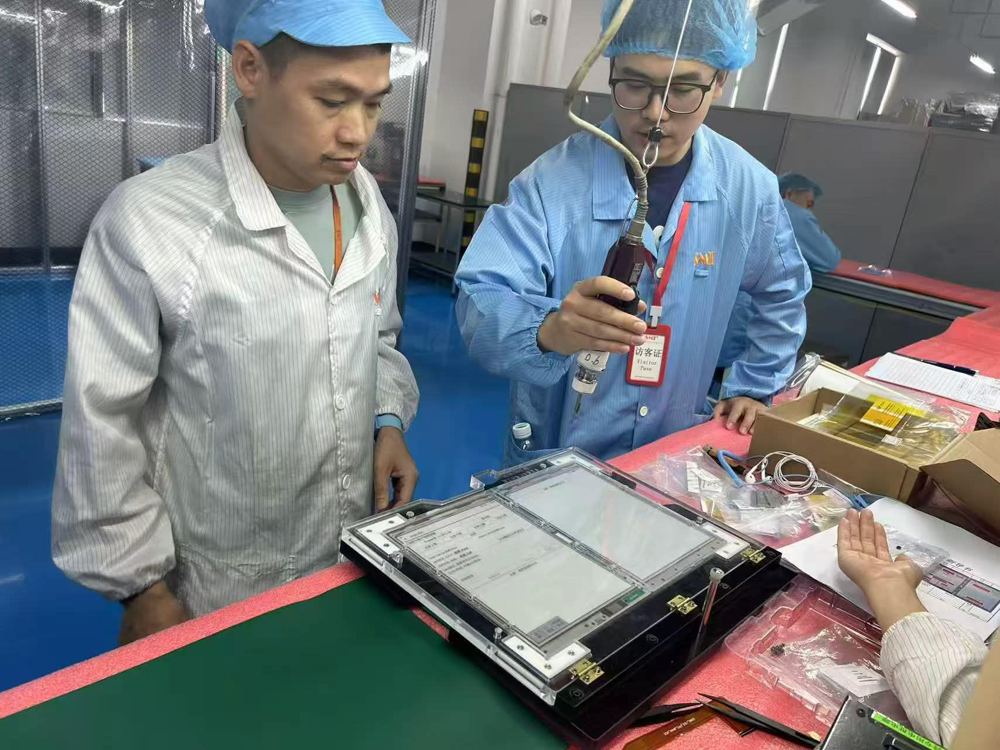
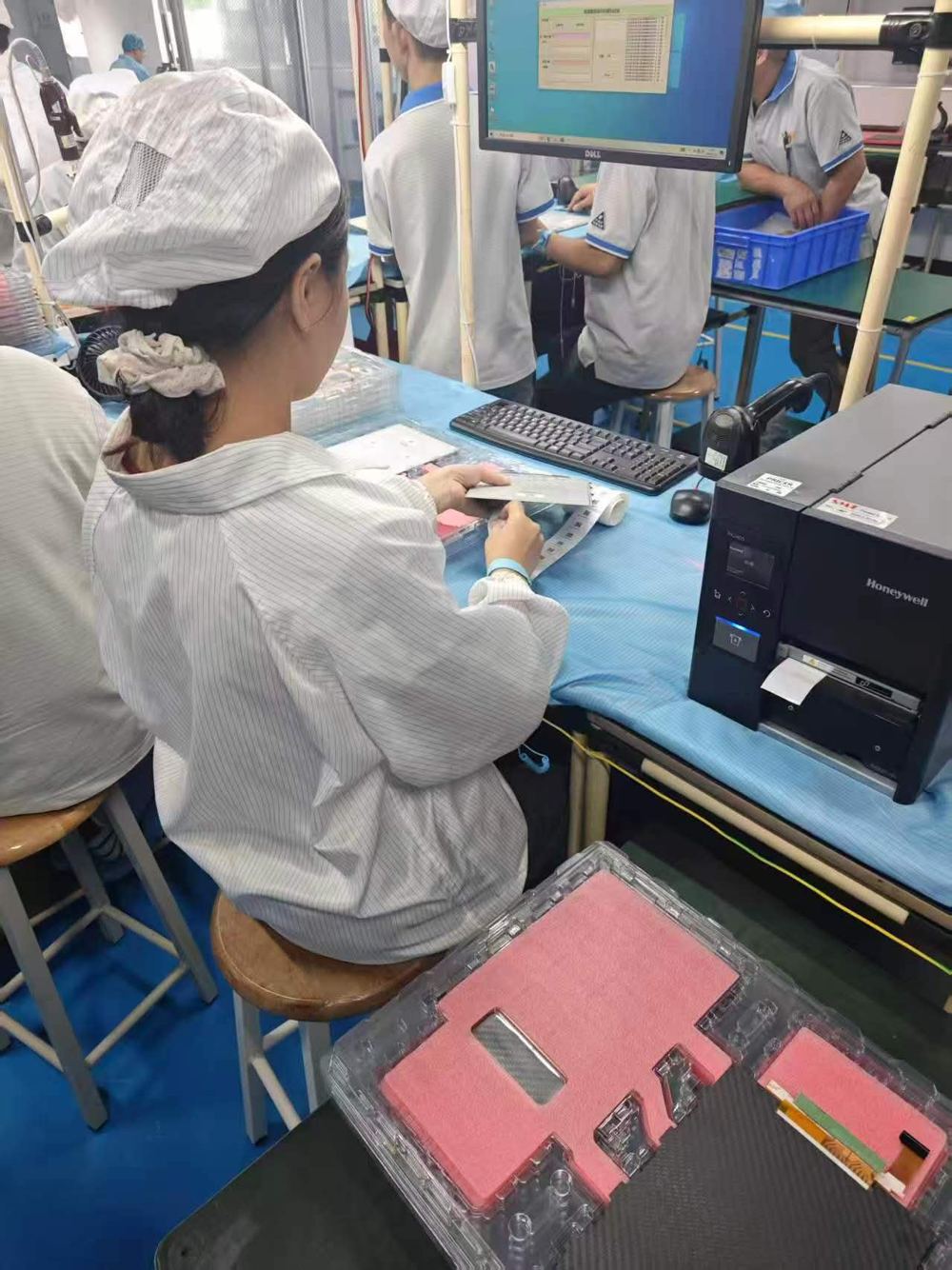
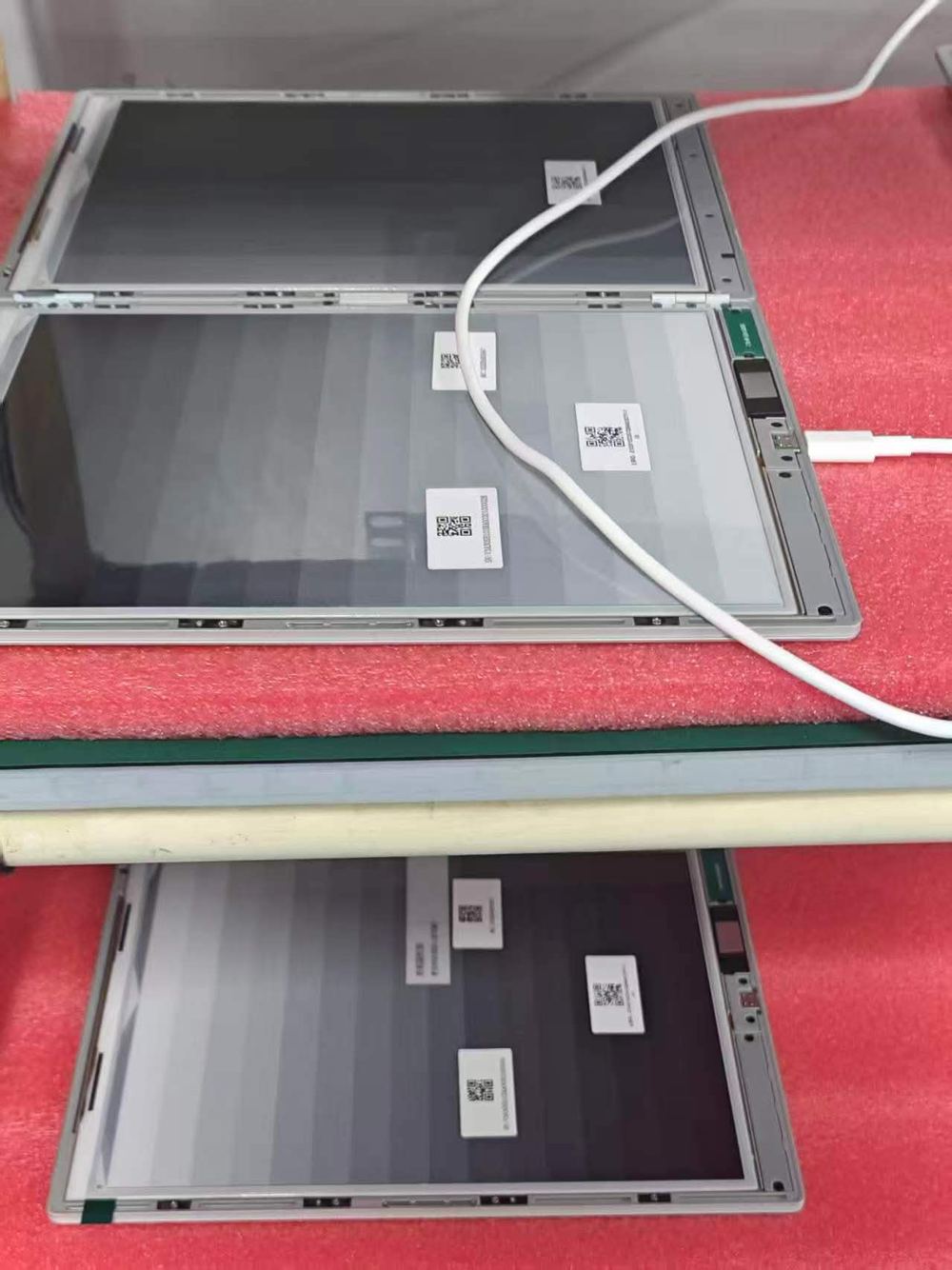
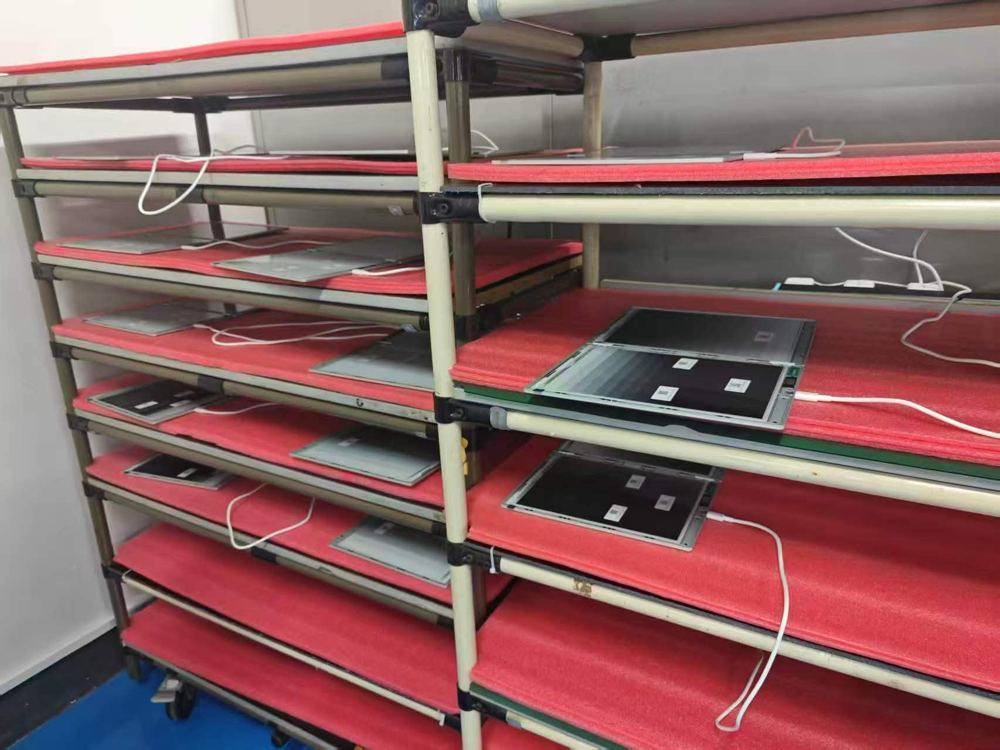
It's real, it works, and it’s close to full-scale production.

Factory staff testing an InkLeaf unit
An assembly station on the factory floor
InkLeaf screens on the production line
InkLeaf units on charging racks

Assembly line photos from the factory floor.

Production Timeline.

  1. 2023First ideated
  2. 2024 to 2025Prototyping and building
  3. Early 2026Software development and refining
  4. NowFinal software tweaks for usability. Manufacturing our first 1,000 units.

On Kickstarter Nov 24, 11 AM ET

  • Be first in line for launch on Nov 24. Public orders open in Spring 2027.
  • Build updates from the founder
  • Get notified at launch with perks
Kameron Yu, founder of InkLeaf

Kameron Yu, The Founder.

I’m part of a small team who’s led 4 consumer electronics crowdfunding campaigns.

Inkleaf took 17 iterations to feel ready to ship. I’ve sent back versions because of tiny wobbles in the hinge.

Today, it’s finally something I’m confident enough in to put my name on.

I’m in and out of the factory, verifying the quality of our 1000 launch units, and I’m here to answer questions.

You will hear production campaign updates from me the same day they happen.

Questions? Ask me directly.
kameron@useinkleaf.com

RedditReddit AMA at launch. Nov 24th. 11 AM EDT.

"The hinge is the quiet star here."

Rei PadlaThe Gadgeteer

A cast-aluminum body and a precision-machined hinge. Physical buttons. Turn the page with the press of a thumb, not a swipe.

InkLeaf partly open, showing both panels and the hinge

The fold. A 180° hinge, tested across thousands of opens.

Close-up of the machined hinge barrel

The hinge. A machined barrel that should outlast the rest of the device.

Page keys beside the screen

The buttons. Page keys sit concealed beside the screen: Page up and down for each screen, plus power and a one-press refresh.

FAQ

Device questions

Will I be able to run apps out of the Android Google Play Store on this device?
Yes, it runs full Android. It's not meant for heavy apps or video; it's a reading and writing tablet, and you can read all your books on it.
Does this device allow me to read Kindle books?
Yes. It has Android access, so you can get the Kindle app and read your Kindle books.
Can I use it in tablet format? Does the hinge fold backwards?
No, the hinge does not fold 360°. It opens to 180° and lies flat like an open book.
What tech is the stylus?
A pressure-sensitive stylus comes in the box, with 4,096 pressure levels and an eraser on the other end. You can write on either screen, on a paper-textured surface.
Can I have two pages open of the same book? One page on the left, one on the right?
Yes. Open the book from Readings, tap More, then tap Toggle dual screen.
Can manga and ebooks be read in a full two-page view?
Yes. With right-to-left manga, the pages only show in the correct order if the file itself is arranged that way.
Does it have a backlight?
No built-in light. We'll offer a clip-on light so you can read in the dark.
Does this work for left-handed people? Writing on the left, book on the right?
Yes. Anyone can use it either way, and you can put whatever you like on each screen.
Can you read music on this device? Can you connect a pedal?
We're testing this now. We'll send out an email as soon as we've figured it out.
Can I export that document as a standard PDF with those annotations preserved?
Yes. You can annotate any PDF and export it with your notes, and because InkLeaf has internet access, you can send the file wherever you need it.
How do I get my books onto it?
Just download your reading app and sign in, and your books are there. For your own files, plug it into your computer with USB-C and copy them over.
Does this read every format?
It opens PDF, EPUB, MOBI, TXT and HTML files. Your notes export as PDF, by email, or by Wi-Fi sync.
Is it in color or merely B&W? Does it have a camera?
Not right now: both screens are black and white E Ink. And no, there's no camera.
Will it connect to Google Drive and other cloud storage?
Yes. It has full Play Store access, so you can install Google Drive, Dropbox or any other cloud app.

Shipping & launch

When does it ship?
November 24th, at 11 a.m. ET. You'll get email updates every week and a reminder the day before launch.
Do you ship to my country?
Yes, we ship anywhere in the world. The shipping price for your country will be listed on the Kickstarter page when the campaign launches.

Inkleaf: The two screen E-ink tablet that opens like a book.

“essentially turning an E Ink tablet into a digital book with two full-size pages”
Nick BildHackster.io
  • Be first in line for launch on Nov 24. Public orders open in Spring 2027.
  • Build updates from the founder
  • Get notified at launch with perks

On Kickstarter Nov 24, 11 AM ET